
How Google Business Profile Gets You Customers Without Ads
Every business owner in Pune wants more customers without paying for ads every month. The answer is often already free and waiting in your Google account.
Kanifnath Technologies, a digital marketing and software development company in Pune, provides professional Google Business Profile (GBP) optimization and Local SEO services to help businesses improve their visibility on Google Search and Maps, attract nearby customers, and generate more calls and enquiries organically.
In this guide, Kanifnath Technologies explains how Google Business Profile gets you customers without ads. You will learn the essential setup steps, strategies to improve local search visibility, and common mistakes to avoid for better business growth.
What Is Google Business Profile and Why It Matters
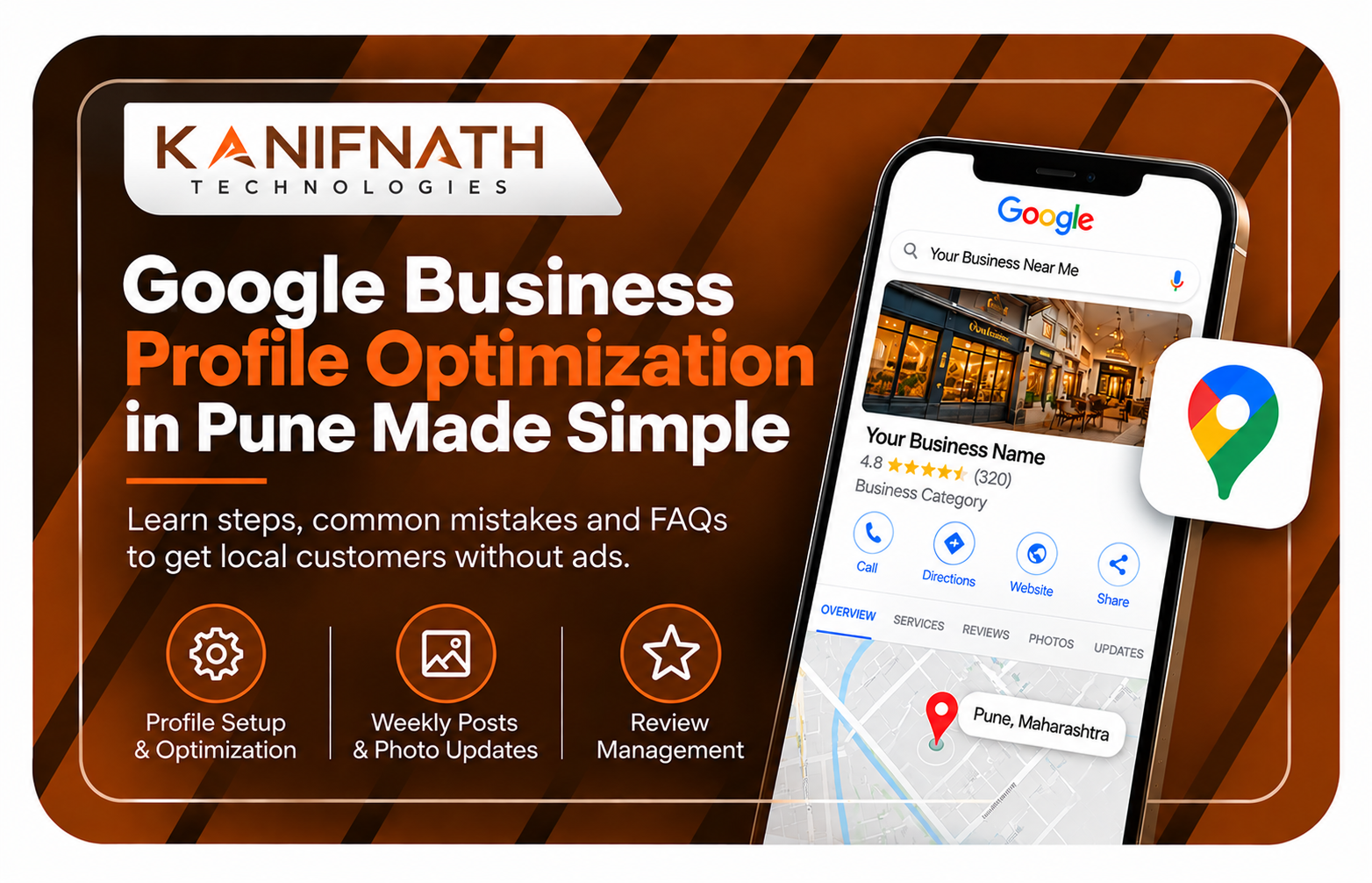
Google Business Profile (GBP) is a free listing that shows your business on Google Search and Google Maps. It shows your address, phone number, hours, reviews, photos and website.
When someone searches for a service near them, Google shows a small group of results called the local pack. A well-managed GBP listing is your way into that group.
H2: Why a Free Listing Brings Real Customers
People who search on Google Maps usually want something now. They want to call, get directions or compare options.
This is the core reason how Google Business Profile gets you customers without ads. You appear at the exact moment someone is looking, and you do not pay per click.
H2: How Google Decides Who Shows Up
Google uses three main factors for local results:
- Relevance: how well your profile matches what the person searched for
- Distance: how close your business is to the searcher or the area named in the search
- Prominence: how well known your business appears, based on reviews, website and mentions online
You cannot change distance, but you can improve relevance and prominence with steady work.
Google Business Profile Optimization in Pune: Why Local Details Matter
Pune is a big city with many busy areas. A customer in Hinjewadi searches differently from one in Kothrud, Baner, Hadapsar or Pimpri-Chinchwad.
Good Google Business Profile optimization in Pune means naming the areas you actually serve and matching your profile to how people in those areas search. Keep your service area, description and photos honest and specific.
At Kanifnath Technologies, we always start with the areas a business truly serves, and then build the profile around them.
Step-by-Step: Set Up Your Profile to Attract Customers
Step 1: Claim and Complete Business Profile Verification
Search for your business on Google. If it is not listed, create the profile. If it is listed, claim it.
Finish verification using the method Google offers you. An unverified profile will not perform well.
Step 2: Choose the Right Primary Category
Your primary category is one of the strongest signals you give Google. Pick the one that describes your main service, not a broad one.
Add secondary categories only if they truly apply. For a software company, that could mean categories for software development or web design.
Step 3: Keep NAP Consistency Everywhere
NAP means Name, Address and Phone number. These details should match on your GBP, website, social pages and directories.
Even small differences can confuse Google. Use your real business name only, without extra keywords added.
Step 4: Write a Clear Description and Add Services
Use the description to explain what you do, who you serve and which areas of Pune you cover. Write for people first, and mention your services in plain language.
Add each service separately with a short explanation. This helps Google match your profile to the right searches.
Step 5: Add Real Photos
Upload photos of your office, your team and your work. Real photos build trust faster than stock images.
Add new photos from time to time so the profile looks active.
Step 6: Use Google Business Profile Posts
Share updates, new services, project highlights or helpful tips. Keep each post short and clear, and add a button such as Call or Learn more.
Posts show visitors that your business is active. They also give you space to naturally use the terms people search for.
Step 7: Build Customer Reviews and Ratings
Reviews influence both ranking and trust. Ask happy clients to share their honest experience, and send them the direct review link.
Never offer gifts or discounts for reviews, because this goes against Google's guidelines. Reply to every review, good or bad, in a polite and helpful way.
How to Get More Calls from Google Maps
Small details turn profile views into calls:
- Add correct business hours, including holiday changes
- Add your website and a working phone number
- Add an appointment or booking link if you offer one
- Check your profile on a phone, since most local searches happen there
- Look at your Insights regularly to see which searches bring people to you
At Kanifnath Technologies, we work with local businesses across Pune. We see that profiles that are complete and updated regularly are easier for customers to trust and contact.
Common Mistakes to Avoid
- Adding keywords to the business name. This can lead to suspension.
- Choosing too many or wrong categories. It dilutes your relevance.
- Using different phone numbers or addresses online. It breaks NAP consistency.
- Ignoring reviews. Unanswered reviews make a business look careless.
- Never posting or updating photos. An inactive profile looks abandoned.
- Using a fake address or virtual office. It breaks Google's guidelines and risks suspension.
- Expecting results overnight. Local ranking improves with steady effort over time.
Frequently Asked Questions
1. Does Google Business Profile really work without ads?
Yes. It is free, and it can bring calls, direction requests and website visits from people searching nearby. Results depend on how complete and active your profile is.
2. How long does it take to see results?
There is no fixed timeline. Some businesses notice more activity within weeks, while others need a few months. Consistent updates and reviews help the most.
3. Can I have a Google Business Profile without a shop?
Yes, if you serve customers at their location or meet them in person. Service-area businesses can hide their address and list the areas they serve. You must not use a fake address.
4. How do I get more reviews on my profile?
Ask satisfied customers directly and share your review link. Do not pay for reviews or write them yourself.
5. Do I still need a website if I have a GBP listing?
A website is strongly recommended. Your profile gets people to find you, and your website gives them the detail to decide.
Conclusion
A free profile will not replace all marketing, but it is one of the most practical tools for local growth. Now you know how Google Business Profile gets you customers without ads: by showing your business to people already searching for it nearby.
Start with a complete profile, keep your details consistent, post regularly and respond to reviews. Small steps, repeated every week, build lasting local visibility in Pune.
Ready to get more local customers from Google? Book a free consultation with Kanifnath Technologies in Pune today and learn how Google Business Profile gets you customers without ads for your own business.